MCP servers
Attach a remote MCP server over Streamable HTTP or SSE, give it a credential, refresh its tools and set each tool to off, allowed or needs-confirmation.
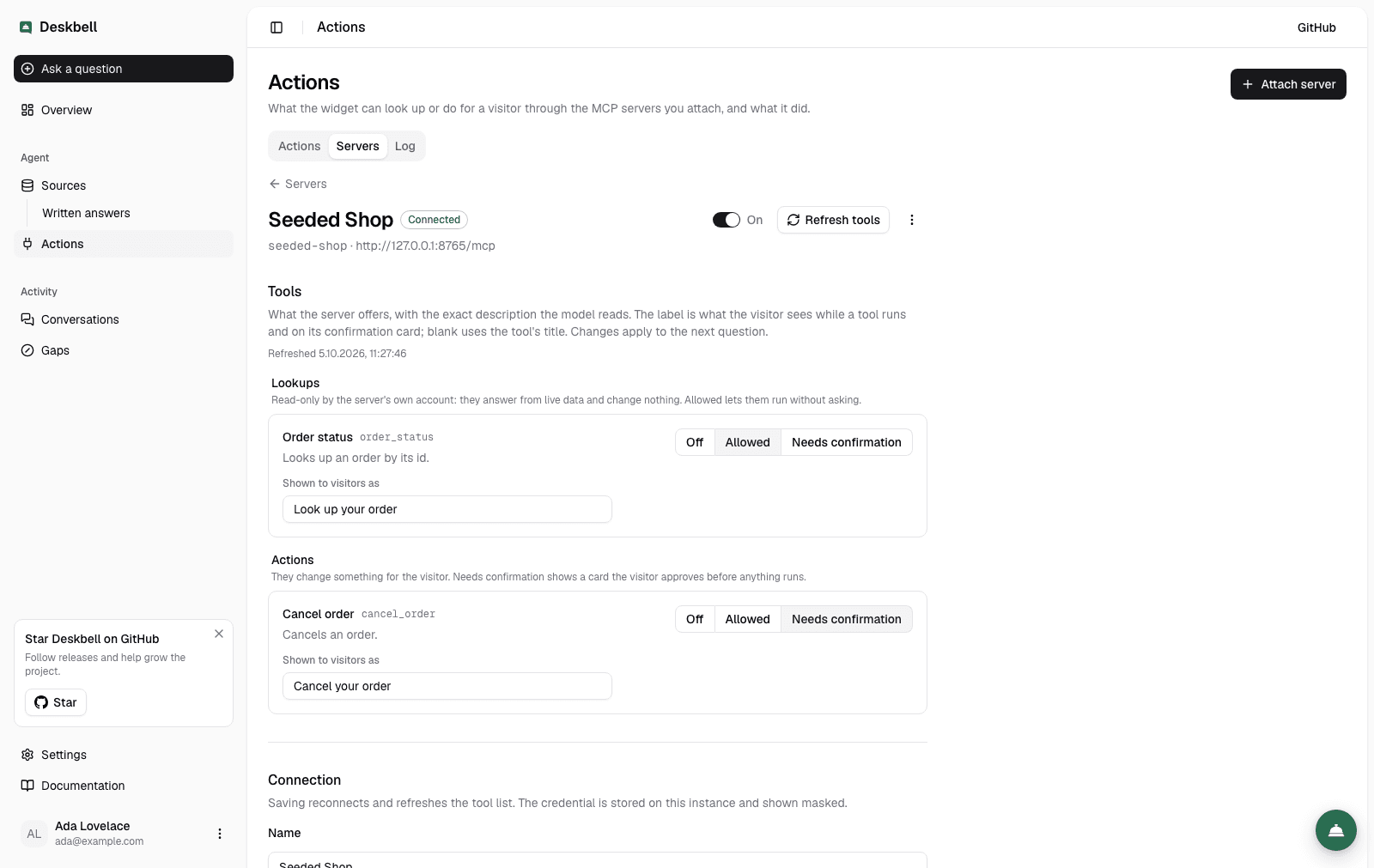
Under Actions › Servers in the dashboard an admin attaches a server, Deskbell asks it for its tools, and the tools appear with a policy each. Only admins see the controls; members see the page read-only.
The page is a list: one row per server with its state and how many tools sit at each policy. A server's own page holds its tools and, below them, its connection.
Attaching a server
Attach server opens a dialog. A first connection needs three things; the rest sits behind Advanced with defaults that suit most servers.
| Field | Meaning |
|---|---|
| Name | Shown in the dashboard |
| URL | The server's endpoint. https only, except localhost; no credentials in the URL; no private address literals |
| Credential | None, a bearer token (Authorization: Bearer …) or a custom header whose name you give |
| Id (Advanced) | Prefixes the tool names the model sees (shop__order_status) and is the audience of the identity token. Derived from the name when empty; cannot change afterwards |
| Transport (Advanced) | Streamable HTTP (the current MCP transport) or SSE for older servers |
| Visitor identity (Advanced) | Not sent, a signed token in X-Deskbell-Identity on every request, or the visitor's own token as the bearer, exchanged at your identity provider when a client is configured — see Visitor identity |
Attach saves the server, asks it for its tools and opens its page. A server that cannot be reached is kept with the error shown; Refresh tools in the page header tries again. The credential is shown masked once saved and is never sent back to a browser; leave the field empty on later saves to keep it.
The switch in the header turns a server off without losing anything: its
policies stay, none of its tools are offered. Remove server, behind the
⋯ menu, asks for confirmation and takes the policies with it.
Servers that need OAuth to connect are not supported; give them a token. A server started as a local process (stdio) is not supported: Deskbell connects to servers, it does not run them.
Tools and policies
Each tool is listed with its name, its title, and exactly the description the model is shown — read it as a prompt, because it is one. Tools come under two headings: Lookups, the ones the server marks read-only, and Actions, everything else. Further hints the server attaches are shown as badges: destructive, open world. All of them are the server's own account of itself; the policy is yours.
| Policy | What happens |
|---|---|
| Off | The model does not know the tool exists. The default for every tool |
| Allowed | The model may call it; the visitor sees a step line above the answer |
| Needs confirmation | The model may ask; the call runs only after the visitor confirms a card (Confirmation) |
A policy saves the moment it is set and applies to the next question. The Suggested line under an unset policy is Allowed for a tool the server marks read-only and Needs confirmation otherwise; Apply suggested, shown while every tool is still off, sets them all at once. It is a suggestion: the server's hints are advisory and an operator decides.
A renamed or removed tool loses its policy on the next refresh: a permission never survives under a name the server no longer lists.
Shown to visitors
The visitor never sees a tool's name. While a tool runs, the widget shows a
step line above the answer — a spinner and the tool's label with an ellipsis,
then a check mark once it finished — and a confirmation card names the tool
the same way. The label is the Shown to visitors as field on the tool's
row, saved when you leave the field. Blank means the tool's own title, or its
name written out (ask_wiki_question becomes Ask wiki question).
Write the label as what the tool does for the visitor, in their words: Look up your order, Cancel your subscription, Check seat availability. It is printed as Look up your order… while running, so an imperative reads naturally. Labels are operator copy like the rest of the widget's text; they are not translated per locale.
A tool's result is not listed under Sources. The step line is the record that the answer used live data; Sources stays for pages and written answers.
What the model receives and returns
The model gets the tool's name, description and input schema. Its arguments
are validated against that schema before the call; fields the schema does not
name are rejected. A result comes back as text (or the server's structured
content) wrapped in a <tool_result> block that the prompt names as
material, cut at the configured size. A result the answer rests on becomes a
citation with kind: "action".
The server's instructions text, which some servers send at connection, is
not shown to the model.
Limits
- Ten servers and one hundred tools per project.
- Four model steps per turn, thirty seconds per call, eight thousand characters of a result — all configurable.
- One confirmation at a time per turn; a second tool that needs confirmation waits for the next turn.
Overview
Attach MCP servers to a project so the widget can look up a visitor's own data and act for them, with every tool switched between off, allowed and needs-confirmation.
Confirmation
A tool set to needs-confirmation pauses the turn until the visitor confirms a card in the widget; the request is signed, expires after ten minutes and is recorded either way.