Install on a Docusaurus site
Add the Deskbell widget to every page of a Docusaurus site through the scripts entry in docusaurus.config, with the project key as a data attribute.
Docusaurus injects the scripts listed in its config into every page, and it accepts arbitrary attributes on them. That is all the widget needs.
const config: Config = {
  // …
  scripts: [
    {
      src: "https://your-deskbell.example.com/deskbell.js",
      async: true,
      "data-project-key": "pk_live_…",
    },
  ],
};
In a JavaScript config (docusaurus.config.js) the entry is the same object.
Any other option goes in as another
"data-…" key on the same object.
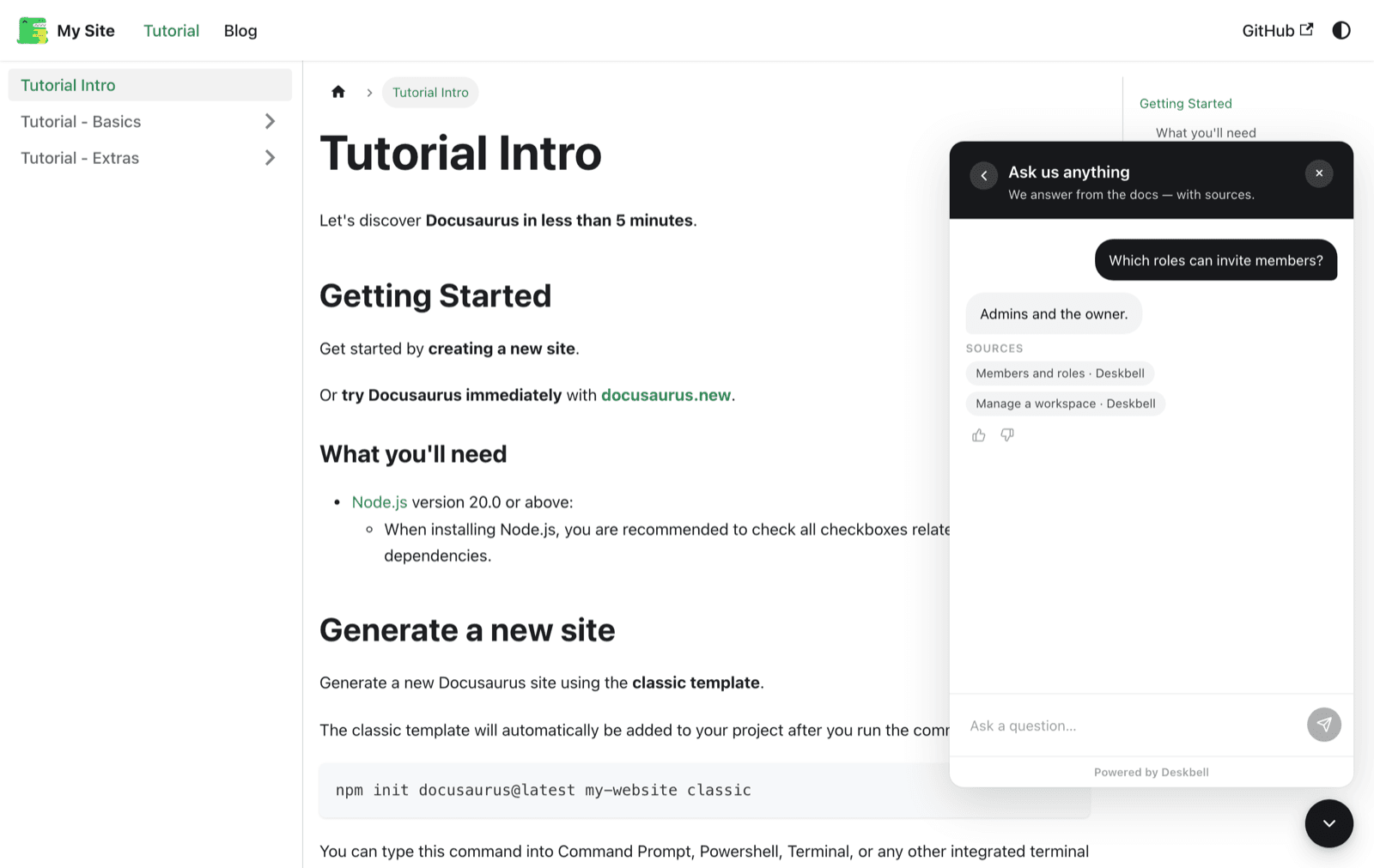
Docusaurus is a single-page application once loaded: the script runs on the first page and the widget stays mounted as the visitor moves through the sidebar, conversation included.
Docs versions and locales
The config-level scripts entry applies to every route, so versioned docs
and every locale get the widget without further changes. To scope it, render the
element form from a src/theme/Root wrapper instead and decide there which
routes get it.
Before it goes public
Add the site's origin to the allowlist on Settings › Install. For local
development that is http://localhost:3000, Docusaurus's default port.
Verified with Docusaurus 3.10 (classic template) and Chrome: the widget mounted on the tutorial pages, survived client-side navigation, and answered with cited pages.
Next.js
Load the Deskbell widget once in a Next.js App Router layout with next/script so it stays mounted across client-side navigation, or use the React package.
Configure the widget
The four layers of widget configuration, their precedence, and every option the element accepts, listed from the descriptor the widget itself reads.