The widget
What the Deskbell widget is, the four ways to put it on a page, what can be configured from where, and the pages in this section that cover each part.
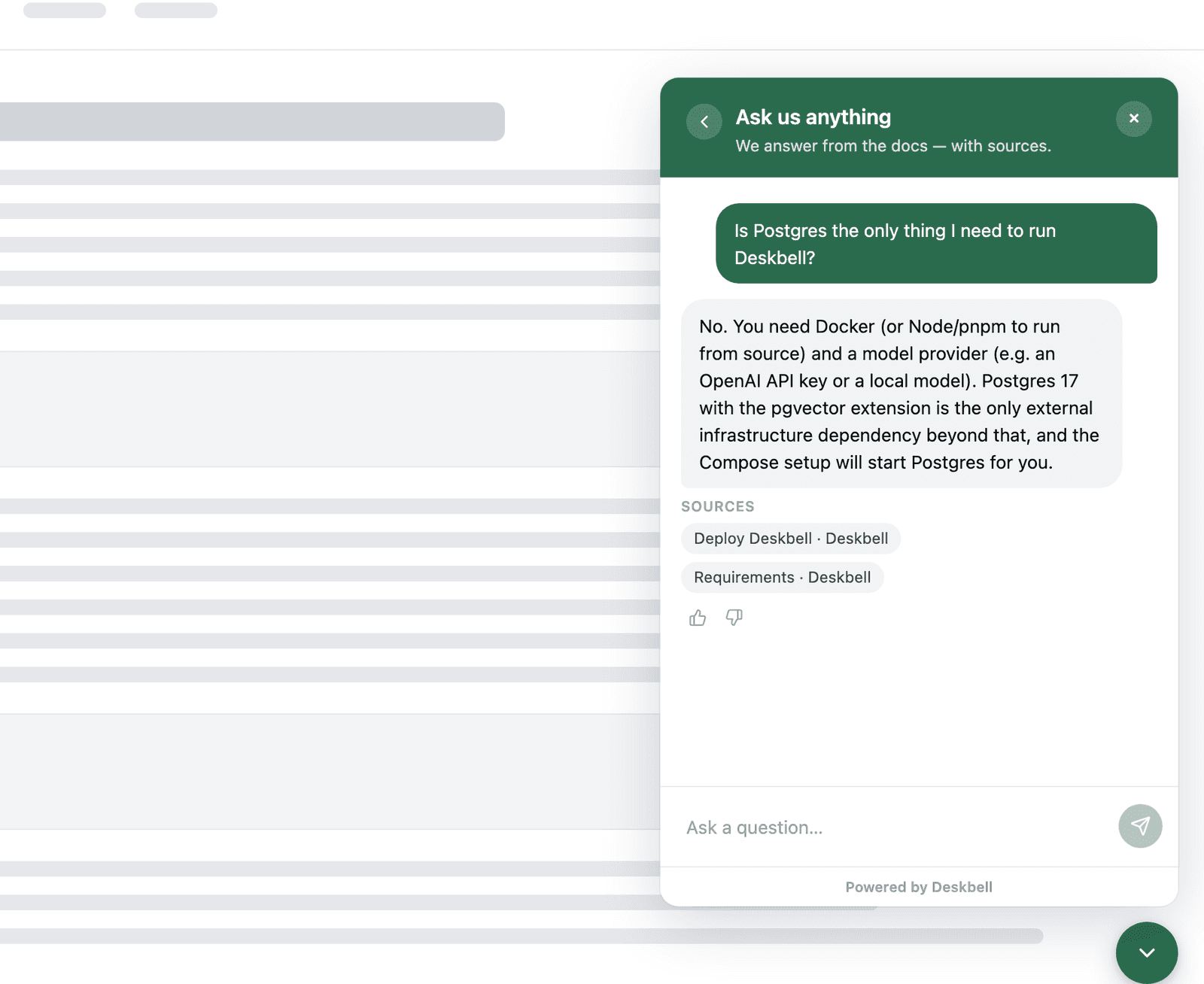
The widget is the part of Deskbell your visitors see: a launcher, a panel that
streams answers with their sources, thumbs for feedback, and the visitor's
previous conversations. It is a custom element, <deskbell-widget>, rendered
in a shadow root, so your page's CSS stays out of it and its CSS stays out of
your page.
Four ways to add it
| Way | For | Page |
|---|---|---|
One script tag with data-project-key | Any site. Mounts itself, finds your server from its own URL | Install |
| The element, placed by you | Control over where it sits in the DOM, or inline in the page | Install |
@deskbell/widget from npm | Applications that bundle their own JavaScript | Install |
@deskbell/widget-react | React codebases; a wrapper around the same element | Install |
A UI of your own, on the same server and the same rules, is the SDK.
What is configured where
| Layer | Set by | Reaches |
|---|---|---|
| Dashboard | Settings › Appearance, no redeploy | Every page the widget is on |
| Attributes | The embed code, per page | That page |
| JavaScript | deskbell("config", …) at runtime | That page, until reload |
| CSS | --deskbell-* tokens and ::part() rules on the host page | Wins over all of the above |
| Slots | Your own markup for the launcher, header, empty state or footer | Replaces the region |
Options lists every option and the precedence order; Theming the tokens, parts and slots; Behaviour what each mode and content feature does; JavaScript API the commands and events.
What it does on the page
- Asks
POST /api/v1/askand renders the streamed answer as Markdown, built as elements rather than inserted as HTML. - Shows the sources under each answer as pills that link to the page, or labelled as written answers.
- Keeps the visitor's session id in
localStorageso their threads are there on the next visit; with Visitor identity configured, threads follow the signed-in visitor across browsers. - Dispatches a
deskbell:*event for everything that happens, so a tag manager can read them fromwindow. - Sends one beacon per tab session when it mounts, which is how the Install page knows where the widget is live.
Size and dependencies
deskbell.js is built on Preact with nothing third-party beyond it, and the
build fails above 40 KB gzipped. The npm package is an ES module with preact
as its one dependency.
FAQ
Short answers on actions — what runs without asking, what the visitor can see, how failures show, and what an MCP server needs to work with Deskbell.
Install the widget
One script tag mounts the Deskbell widget and works out which server to call from its own URL. Placing the element yourself is the alternative.